 English
 عربى
عربى Español
 中文简体
中文简体
+86-0572-5888031

0
ENG
Standing Desk Benefits: What the Evidence Really Shows and How to Use One
 Home / Media / Industry News / Standing Desk Benefits: What the Evidence Really Shows and How to Use One
 Standing Desk Benefits: What the Evidence Really Shows and How to Use One
 2026.09.30
 Industry News
Content
Buy a standing desk and the first week feels productive: the top goes up after lunch, a call gets taken upright, and the lower back loosens. By week three most buyers are sitting again, not because the benefits were imaginary, but because nobody told them how much standing helps, how much is too much, or what the desk cannot do on its own.
This guide separates the claims that survive scrutiny from the ones that do not, and it covers the part most articles skip: what happens when you overcorrect, and how the chair under that desk has to change once the desktop starts moving.
Standing desk benefits described precisely: measurable changes in energy expenditure, post-meal blood sugar, circulation, posture and musculoskeletal comfort that appear when part of a seated workday is spent working upright in short, repeated bouts rather than one long block.
The Four Benefits That Hold Up
The evidence supports four benefits with reasonable confidence: less back and shoulder discomfort, better blood sugar control after meals, slightly higher energy and mood, and improved circulation. Weight loss is not on that list.
The mechanisms are modest. Standing is a low intensity activity, and most of the gain comes from interrupting sitting rather than from the standing posture itself.
8-20 kcal
Extra energy per hour compared with sitting still
30 min
Standing per working hour, a realistic starting target
2 h
Daily standing above which discomfort complaints rise
2-4 wks
Typical time for back comfort changes to show
Estimated energy cost per hour of desk work
Sitting still
80 kcal
Standing still
88 kcal
Standing and shifting
100 kcal
Walking slowly
160 kcal
Interrupting sitting is the active ingredient. A 30 minute standing block does more for blood sugar and back comfort than a perfect standing posture held for three hours.
| Benefit | Likely mechanism | Typical timeframe |
| Lower back and shoulder comfort | Frequent posture changes reduce static load on spinal tissue | 2 to 4 weeks of consistent alternation |
| Post-meal blood sugar | Light muscle activity during standing helps clear glucose from the blood | Within days of regular standing breaks |
| Blood pressure | Fewer uninterrupted sitting hours, with modest reported effects | 4 to 8 weeks |
| Energy and focus | Less afternoon fatigue and reported gains in concentration | Same day |
| Circulation | Calf muscle activity supports venous return from the legs | Immediate |
| Weight | Small increase in hourly energy expenditure only | Months, and minimal |
Two practical notes follow from that table. The benefits fade quickly, so a standing block on Monday does nothing for Tuesday. And anything that breaks contact between the lower back and its support while you are seated will undo part of the progress. A chair with a contoured foam lumbar pad that stays in contact when the user leans back makes the return to sitting far less punishing than a flat backrest does.
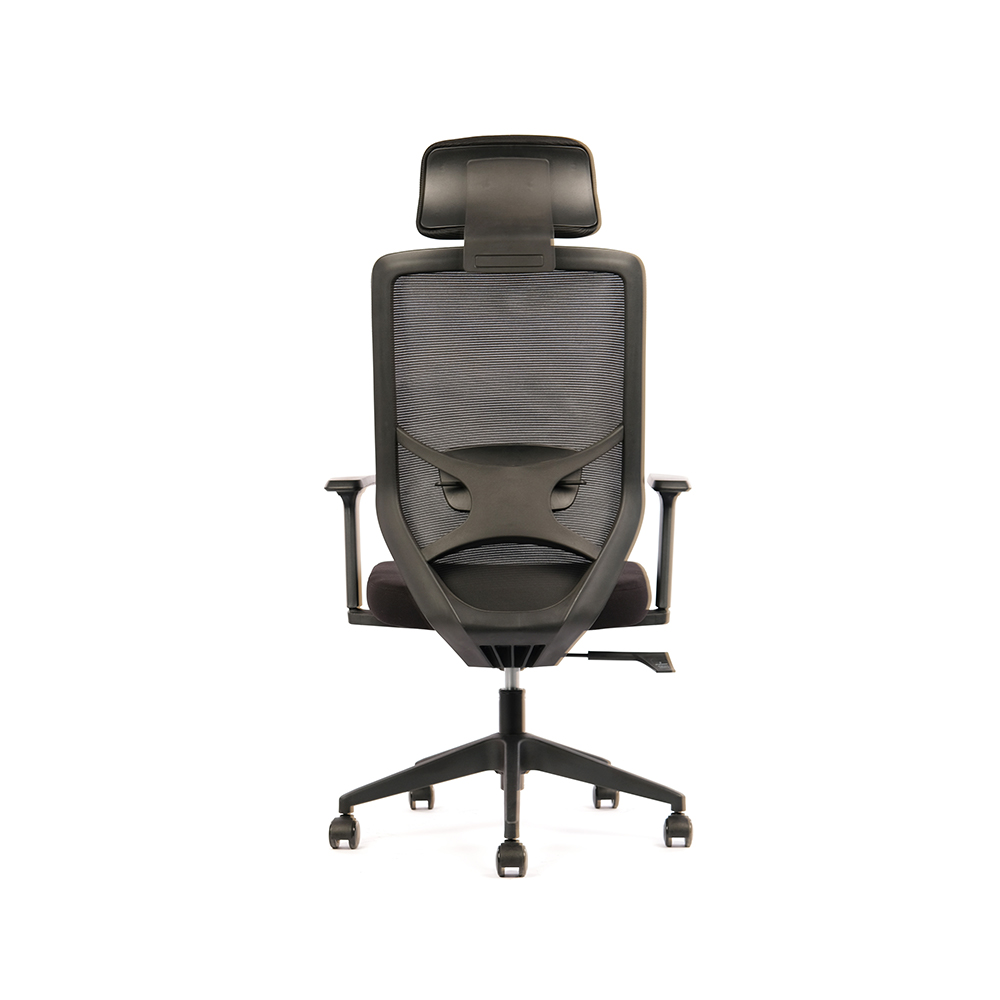 ZY-6034 foam Lumbar support Mesh Office ChairProduct SpecificationView Product →
Where the Evidence Turns Negative
Standing for more than roughly two hours a day stops being a benefit and becomes its own risk factor. Occupational health research associates prolonged standing with leg heaviness, foot and knee discomfort, varicose veins and a rise in lower back complaints rather than a fall.
The problem is rarely standing itself. It is standing still for a long stretch and counting that as movement. Static load, not gravity, is what the body objects to.
Four failure patterns show up again and again in real offices:
- Standing in one spot without shifting weight, which loads the same joints continuously.
- Hard floors with no mat and unsupportive footwear, which push fatigue into the feet and knees.
- Raising the monitor with the desk while leaving the keyboard low, or the reverse, which creates new neck and wrist strain.
- Treating the desk as a switch instead of a dial, so the top goes up once and never comes back down.
A Sit-Stand Routine That Survives Week Three
Alternate on a schedule rather than by feel. Start near 20 to 30 minutes of standing per hour and keep total daily standing under about two hours, then adjust upward only if nothing hurts the following day.
Set the height before you set the habit
Elbows near 90 degrees with relaxed shoulders, top of the monitor at eye level. A desk set too high is the most common cause of new shoulder tension.
Start with one standing block per hour
20 to 30 minutes standing, the rest seated. Use a timer for the first two weeks, because most people overshoot when they judge by feel.
Move while you stand
Shift weight between feet, step in place, walk to refill a glass. Standing still for 30 minutes is not better for you than sitting still for 30 minutes.
Change the sitting posture too
When you sit back down, a slight recline keeps the lumbar curve supported instead of collapsing it. A back-height adjustable office chair lets the user move the lumbar contact point instead of accepting one fixed curve.
Review at week one, then monthly
Tighten or loosen the ratio based on foot fatigue, lower back comfort and how the late afternoons actually feel.
Standing is a break from sitting, not a substitute for movement. If the desktop never comes back down, you have simply swapped one static posture for another.
The seated half of the cycle deserves the same attention as the standing half. A synchronic tilt mechanism, where the seat pan and the backrest pivot together, keeps the hips and lower back in a supported relationship whether the user is upright at the desk or leaning back between tasks.
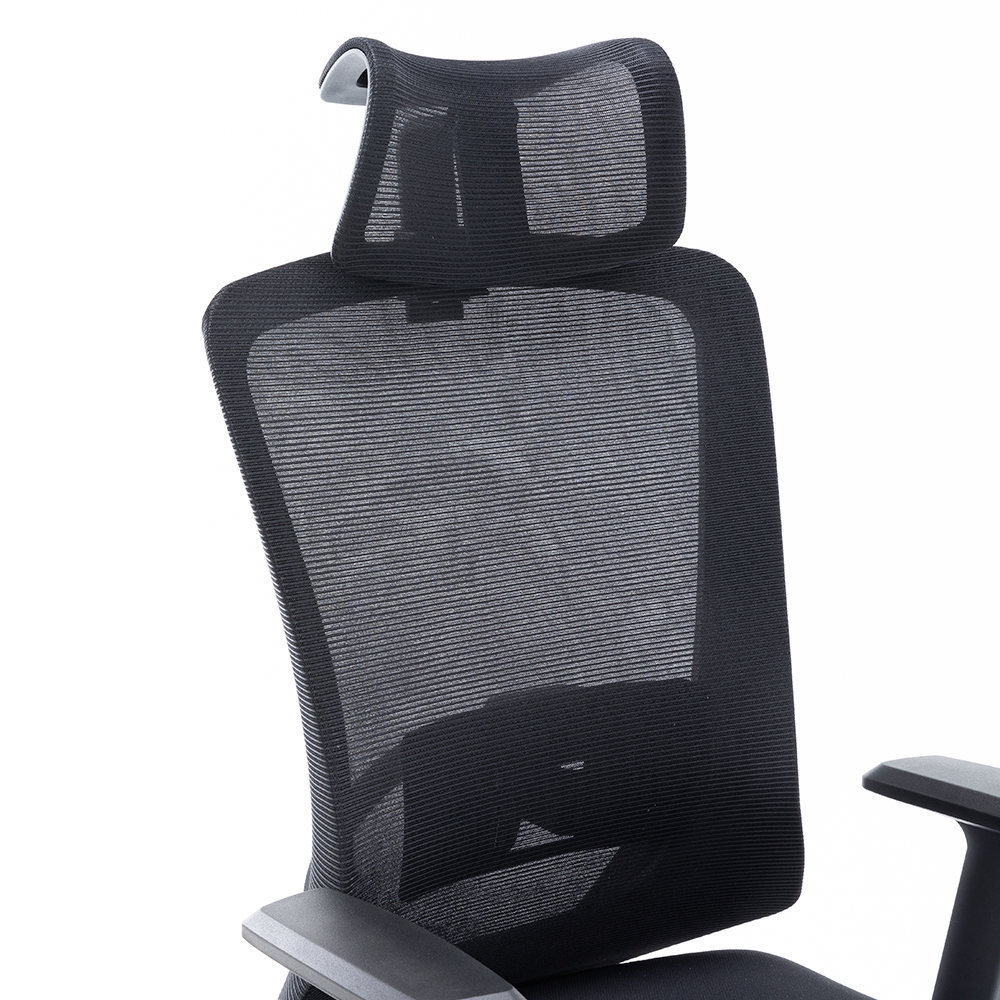 ZY-6009 synchronic pallet Mechanism Mesh Office ChairProduct SpecificationView Product →
What a Standing Desk Does and Does Not Fix
An adjustable desk changes how long you stay in one posture. It does not change the posture you return to, which is why two people with identical desks can report opposite results.
What it genuinely helps with
- Interrupting long sitting blocks through the day
- Lower back and shoulder discomfort during desk work
- Post-meal glucose response and leg circulation
- Afternoon energy and self-reported focus
What it cannot fix
- An unsupportive or badly sized chair
- A monitor placed too low for the user
- Pain with a clinical cause that needs assessment
- Total daily activity outside working hours
Use the desk to interrupt sitting. Use the chair to make the seated hours count. Neither device covers for the other, and buying one without the other is where most workplace programmes stall.
Chair Specification When Desks Start Moving
Once desktops rise and fall, chair specification gets stricter, not looser. The chair now has to work in two configurations and clear a moving frame without a fight.
- Armrests that retract or flip back, so the chair tucks under a raised desktop instead of colliding with it
- A seat height range that fits the whole user population, commonly around 450 to 505 mm
- A lumbar pad that keeps contact with the lower back once the user reclines
- A synchronic tilt mechanism, so the seat pan and backrest move together rather than the back alone
- A Class III or Class IV gas spring rated for repeated daily cycling
- A base and castors matched to the floor surface, from carpet to hard tile
Test the pairing before committing to volume: raise the desktop, then roll the chair underneath. Armrest collisions, an oversized star base and a seat that cannot reach the standing user's hip height all show up in those ten seconds.
Mesh backs change the calculation too, because airflow and the way the surface conforms to the spine both affect how a long seated block feels; our notes on how a mesh chair can help improve posture cover that in more detail. Armrest clearance is the other recurring specification failure. A fixed armrest sitting roughly 240 mm above the seat will collide with most raised desktops, while a flip or folding armrest lets the chair slide fully underneath the moment the user stands up.
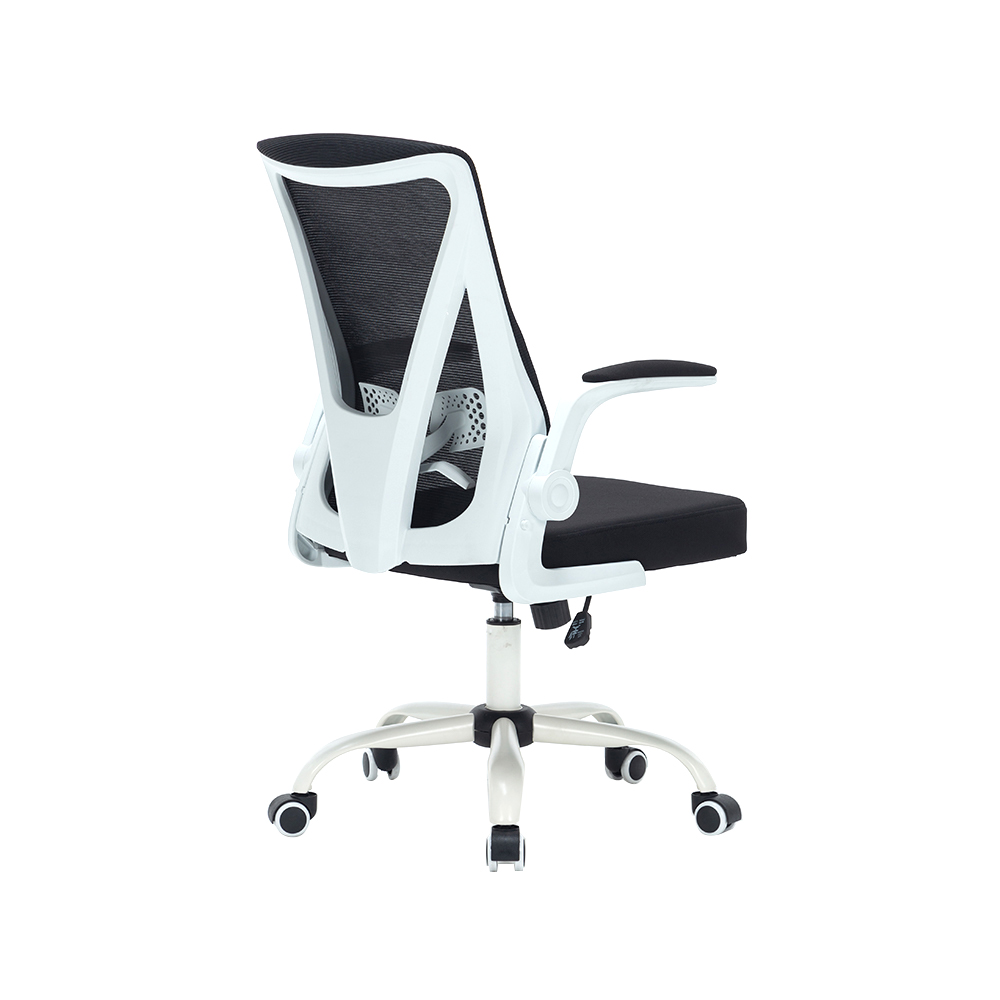 ZY-6808 Folded back office chair with flip armsProduct SpecificationView Product →
Frequently Asked Questions
The bottom line: standing desks are worth the money for back comfort, post-meal blood sugar and afternoon energy when you alternate postures, and worth avoiding as a full-day standing station.
How long should you stand at a standing desk each day?
Start with 20 to 30 minutes of standing per working hour and keep total standing under about two hours a day. Increase the ratio only if feet, knees and lower back stay comfortable through the following evening.
Do standing desks help with weight loss?
Barely. Most estimates put the extra energy cost at roughly 8 to 20 calories per hour, which is under 100 calories across a full working day. A standing desk is a comfort and circulation tool, not a weight management plan.
Can a standing desk replace an ergonomic chair?
No. The chair is what makes the seated half of the day sustainable, and a poorly fitted chair keeps causing discomfort no matter how often the desktop is raised.
Is standing all day bad for your back?
Yes, if it is static. Prolonged uninterrupted standing is linked to leg, foot and lower back complaints. Alternating sitting, standing and short walks keeps the benefits and avoids most of the downsides.
Standing desk benefits come down to one variable you control: how often the working position changes. Buyers who treat the desk as a dial rather than a switch report the back relief, the steadier afternoons and the improved post-meal readings that make the purchase worthwhile.
For offices, the practical next step is to test the desk and the chair together, at the heights your team will actually use, before committing to volume. The desk sets the rhythm; the chair decides how well the seated half of that rhythm holds up.
QUICK LINKS
PRODUCTS
CONTACT & INFORMATION
-
 PHONE NUMBER
 -
 EMAIL
EMAILstellazhang@yimiga.com
-
 ADDRESS
No 366, Jingtu Road, Dipu Street, Anji County, Huzhou City, Zhejiang province, China. PC 313300.
CONNECT WITH US
Be the first to know about our news and updates.


Copyright © Zhejiang Zhongyi Furniture Co., Ltd.
All Rights Reserved.
 浙公网安备33052302000377号
浙ICP备14003933号-2
浙公网安备33052302000377号
浙ICP备14003933号-2
 Wholesale Ergonomic Chair Manufacturers