 English
 عربى
عربى Español
 中文简体
中文简体
+86-0572-5888031

0
ENG
Adjustable Office Chairs: What to Look For and How to Set Them Up
Adjustable Office Chairs: What to Look For and How to Set Them Up
 2026.03.06
 Industry News
Content
- 1 What Makes an Office Chair Truly Adjustable
- 2 The Core Adjustments and Why Each One Matters
- 3 Comparing Adjustment Levels Across Chair Categories
- 4 How to Set Up an Adjustable Chair Correctly
- 5 Weight Capacity and Body Dimensions to Check Before Buying
- 6 Material Choices and Their Effect on Long Sitting Sessions
- 7 Signs That Your Current Chair Needs Replacing
- 8 Adjustable Chairs for Specific Work Styles
- 9 Key Specifications to Request Before Purchasing
What Makes an Office Chair Truly Adjustable
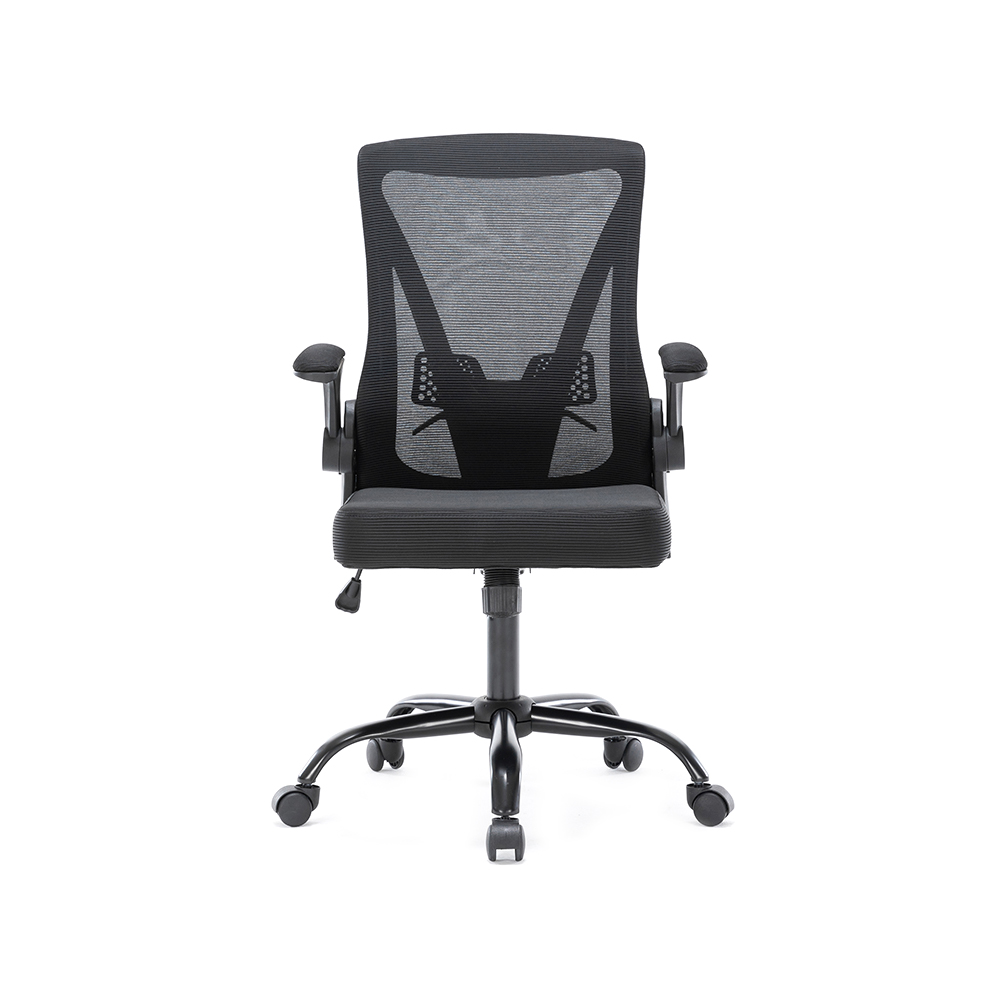
A genuinely adjustable office chair lets you modify seat height, lumbar support, armrest position, seat depth, and recline tension independently so the chair conforms to your body rather than the other way around. Research from Cornell University's Human Factors and Ergonomics Lab found that workers who used fully adjustable seating reported a 17.7 percent increase in productivity and a 40 percent reduction in discomfort compared to those using fixed chairs. That single finding explains why the adjustment range of a chair matters far more than its price tag or appearance.
Most chairs sold as ergonomic offer only basic height adjustment. A chair with six or more independent adjustment points is in a different category entirely, and understanding what those adjustments do is the first step toward choosing one that actually helps you.
The Core Adjustments and Why Each One Matters
Not all adjustments carry equal weight. Some are cosmetic; others directly determine whether your spine, hips, and shoulders stay in a neutral position over a long workday. Here is what each major adjustment controls and why it earns its place on a quality chair.
Seat Height
Seat height is the foundation. When set correctly, your feet rest flat on the floor and your thighs run roughly parallel to the ground, reducing pressure on the backs of your legs. The ideal seat height for most adults falls between 16 and 21 inches from the floor, which is why pneumatic cylinders with that full range are a baseline requirement rather than a luxury feature. Chairs with a narrower range, such as 17 to 19 inches, will exclude taller users above roughly 6 feet 2 inches or shorter users below 5 feet 4 inches.
Lumbar Support
The lumbar spine has a natural inward curve. Without support at that curve, sitting for hours causes the lower back to flatten or round outward, loading the L4-L5 and L5-S1 discs unevenly. Adjustable lumbar support lets you move the support pad up or down so it sits precisely at your own lumbar curve, not where the manufacturer guessed it might be. Some higher-end chairs add depth adjustment as well, letting you push the pad further into the curve for firmer contact. A study published in Applied Ergonomics found that adjustable lumbar support reduced lower back pain scores by 35 percent after eight weeks of use in a group of full-time desk workers.
Seat Depth
Seat depth is one of the most overlooked adjustments. When the seat pan is too deep, the front edge presses into the backs of your knees, cutting off circulation. When it is too shallow, you lose thigh support and begin to perch rather than sit. The general rule is to leave 2 to 3 finger-widths of clearance between the seat edge and the back of your knee. Seat depth sliders, which allow the pan to slide forward and backward on the frame, make this precise fit achievable for people with inseams ranging from about 28 to 36 inches.
Armrest Adjustability
Fixed armrests are nearly useless because they rarely align with a specific person at a specific desk height. A good armrest moves in at least three directions: height, width, and pivot angle. Four-dimensional armrests add forward-backward depth as well. Armrests set at elbow height with a slight inward pivot reduce shoulder and neck tension by allowing the deltoids to relax fully, which matters for anyone spending hours typing. Wide armrests also give you a resting surface during calls or reading without forcing a shrug.
Recline Angle and Tension
Dynamic seating, meaning the ability to recline and return upright periodically, reduces static muscle loading in the back. The spine is most relaxed at a recline angle between 100 and 110 degrees. Recline tension adjustment lets you set the resistance to match your body weight, so a person weighing 140 pounds is not fighting the same spring resistance as someone weighing 220 pounds. Without tension control, lighter users sink backward involuntarily and heavier users cannot recline at all.
Comparing Adjustment Levels Across Chair Categories
Office chairs generally fall into three tiers based on how many independent adjustments they offer. The table below outlines what to expect from each tier so you can match the chair to your actual needs and daily hours of use.
| Tier | Typical Price Range | Number of Adjustments | Key Features Included | Suitable For |
|---|---|---|---|---|
| Entry Level | Under 200 USD | 2 to 3 | Seat height, basic tilt, fixed lumbar | Under 4 hours per day |
| Mid Range | 200 to 600 USD | 4 to 6 | Height-adjustable lumbar, 3D armrests, recline tension, seat depth slider | 4 to 8 hours per day |
| High Performance | 600 USD and above | 7 or more | 4D armrests, adjustable headrest, seat tilt, forward tilt, dynamic lumbar, weight-calibrated recline | 8 or more hours per day |
How to Set Up an Adjustable Chair Correctly
Buying a chair with many adjustments only helps if you configure each one properly. Most people adjust seat height and ignore everything else, which wastes the chair's actual potential. Follow this sequence for a complete setup.
- Sit on the chair with your feet flat on the floor. Adjust seat height until your knees form a 90 to 100 degree angle and your thighs are parallel or slightly angled downward.
- Slide the seat depth so there is a 2 to 3 finger gap between the seat edge and the backs of your knees.
- Sit upright and locate the bony ridge of your lower back. Move the lumbar support until it presses gently into that curve.
- Lower your arms to your sides, then bend your elbows to 90 degrees. Set armrest height to meet your elbows at that angle.
- Adjust recline tension until you can lean back to 100 to 110 degrees with light, consistent resistance that does not require effort to overcome.
- If a headrest is present, raise it to support the base of your skull, not the middle of your neck.
Most ergonomic specialists recommend spending 15 minutes recalibrating these settings every six months, or any time you change your desk height or monitor position, since those changes shift the optimal posture angles.
Weight Capacity and Body Dimensions to Check Before Buying
Adjustment range is only useful if the chair physically fits your body. Two specific measurements determine fit more reliably than any other specification.
Height Range
Cross-reference the chair's minimum and maximum seat height with your own leg length. A person 5 feet 2 inches tall typically needs a minimum seat height of about 15 to 16 inches. A person 6 feet 4 inches tall needs a maximum of at least 21 inches. Chairs designed for a narrow height band will simply not position the seat correctly regardless of how many other adjustments are available.
Weight Capacity
Standard office chairs are rated for 250 to 275 pounds. Heavy-duty and big-and-tall models carry ratings of 400 to 500 pounds and feature wider seat pans, stronger cylinder mechanisms, and reinforced bases. Using a chair beyond its rated capacity degrades the pneumatic cylinder faster and increases the risk of sudden seat collapse, which is a significant safety concern. Always check the rated limit against your actual weight, not an estimate.
Seat Width
Seat width should allow your hips to sit with roughly one inch of clearance on each side. A seat that is too narrow compresses the hips and restricts blood flow; one that is too wide prevents you from reaching the backrest properly. Most standard chairs measure 17 to 20 inches across. Wide-body chairs typically offer 21 to 24 inches.
Material Choices and Their Effect on Long Sitting Sessions
The material covering the seat and backrest affects heat buildup, pressure distribution, and durability in ways that become noticeable only after a few hours in the chair.
- Mesh backrests allow air to circulate continuously, which prevents the heat and moisture buildup that commonly causes discomfort after two hours in a foam-backed chair. Mesh also conforms naturally to spine shape, acting as a passive lumbar support layer. The tradeoff is that cheaper mesh stretches and sags within two to three years.
- Foam seat cushions with a density rating of 1.8 to 2.2 pounds per cubic foot provide enough firmness to support weight without bottoming out. High-density foam at 2.5 pounds per cubic foot or above retains its shape longer and is worth the premium for chairs used more than six hours daily.
- Fabric upholstery breathes better than vinyl or bonded leather and is more forgiving in humid climates. Woven polyester blends rated above 100,000 double-rub cycles on the Wyzenbeek abrasion test will outlast the chair's mechanical components in typical office use.
- Genuine leather and premium vinyl hold up well in cold, dry environments but trap heat in warm ones. They are easier to wipe clean, which makes them more practical in food-adjacent workspaces or for users who spill frequently.
Signs That Your Current Chair Needs Replacing
Even a well-made adjustable chair has a functional lifespan. Mechanical components wear down, cushions compress permanently, and adjustment mechanisms develop slack over time. Here are the specific signs that indicate a chair has reached the end of its useful life rather than simply needing a readjustment.
- The seat slowly sinks during the day even after you lock the height adjustment. This means the pneumatic cylinder has lost its ability to hold pressure and replacement is the only reliable fix.
- The foam cushion has compressed to under half its original thickness and does not spring back within a minute of you standing up.
- One or more adjustment mechanisms no longer hold a set position, causing the lumbar pad or armrest to drift during use.
- The base shows visible cracking, particularly in plastic five-star bases, which can fracture suddenly under load.
- You consistently develop stiffness or discomfort in a single location, such as the lower back or one shoulder, that resolves quickly when you stand. This pattern often means the chair can no longer hold the position you set it to.
A quality adjustable chair used eight hours daily typically lasts seven to ten years before the core mechanisms need replacement. Budget chairs used at the same rate often show significant wear within two to three years.
Adjustable Chairs for Specific Work Styles
Different types of desk work put different demands on a chair. Matching the chair's adjustment profile to your specific tasks produces better results than buying the chair with the most total adjustments.
Heavy Typing and Coding
People who type for most of the day benefit most from precise armrest height control and forward tilt. Forward tilt, which angles the seat pan slightly downward at the front, opens the hip angle and reduces lumbar flexion for users who lean toward the screen. A 5 to 10 degree forward tilt reduces compressive load on the lumbar discs by approximately 30 percent compared to a flat seat, according to biomechanical studies on keyboard-intensive work postures.
Video Calls and Meetings
Workers who spend large portions of their day on calls tend to sit upright more consistently and move less than those doing focused solo work. For this use pattern, a chair with strong, adjustable neck and head support becomes more important, as fatigue accumulates in the cervical spine during prolonged upright posture without something to periodically rest against.
Creative and Drawing Work
Designers using drawing tablets or doing detailed hand work often sit closer to the desk with arms extended forward. For this use, seat height that positions the hips slightly above desk level, combined with low armrests that do not block forward reach, suits the task better than conventional ergonomic positioning. A chair with a wide seat depth adjustment range handles the leaning-forward posture this work typically involves.
Key Specifications to Request Before Purchasing
Many chairs are sold with vague descriptions like ergonomic or fully adjustable without specifying the actual range of each adjustment. Before committing to a purchase, request or locate the following specific data points to evaluate whether a chair will genuinely fit your body and work pattern.
- Seat height range in inches or centimeters, stated as minimum to maximum
- Seat depth range, stated as minimum to maximum
- Lumbar support adjustment range, height in inches and depth if applicable
- Armrest height range and whether pivot or width adjustment is included
- Recline angle maximum and whether tension is adjustable
- Weight capacity in pounds
- Seat width and foam density if seat comfort is a concern
- Warranty length on the cylinder mechanism specifically, since this component fails most often
A chair that cannot provide these specifications in writing is almost certainly relying on marketing language rather than measured engineering tolerances, which is a useful signal about the quality of the product overall.
QUICK LINKS
PRODUCTS
CONTACT & INFORMATION
-
 PHONE NUMBER
 -
 EMAIL
EMAILstellazhang@yimiga.com
-
 ADDRESS
No 366, Jingtu Road, Dipu Street, Anji County, Huzhou City, Zhejiang province, China. PC 313300.
CONNECT WITH US
Be the first to know about our news and updates.


Copyright © Zhejiang Zhongyi Furniture Co., Ltd.
All Rights Reserved.
 浙公网安备33052302000377号
浙ICP备14003933号-2
浙公网安备33052302000377号
浙ICP备14003933号-2
 Wholesale Ergonomic Chair Manufacturers